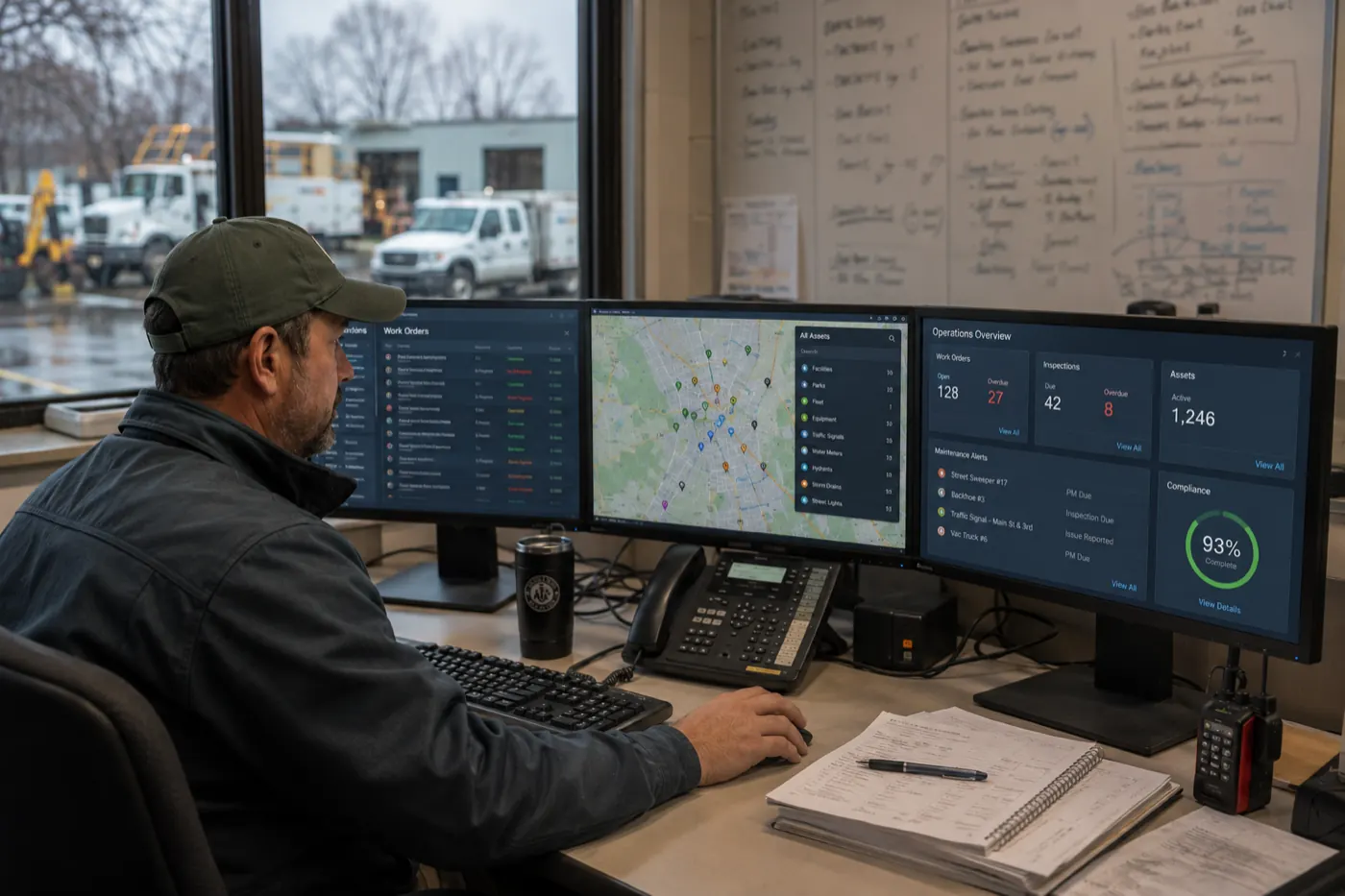
Disaster response workflows get tested in the month after the storm, not during it. If you run field operations at a state agency, coordinate a multi-agency response from an emergency management office, or own the compliance record that has to hold up afterward, you already know the pattern. The disaster is the event everyone remembers. The month after is the part your team actually lives through.
Maybe it’s the inspection backlog that was manageable on a Thursday and impossible by the following Tuesday. Maybe it’s the regional office running its own spreadsheet because the statewide system can’t be changed fast enough to capture what the field is actually seeing. Or it’s five partner agencies in the same response, each with a different picture of what’s been covered. Maybe it’s the moment someone in leadership asks how many facilities have been cleared, and the honest answer is that it will take two days to find out.
None of that means your team is doing anything wrong. In most cases it means the opposite: people are working around a system that was designed for a normal week, during a week that is nothing like normal.
Disasters don’t create new problems for government agencies. They expose the ones that were already there.
We looked closely at how state agencies in North Carolina, Georgia, Texas, and Florida handled recent storm and flood response — the inspection volumes, the emergency waivers, the multi-agency deployments. Different geographies, different agency structures, different hazards. Here’s the sequence that showed up in all four, the four capabilities that separate disaster response workflows that hold from the ones that buckle, and what it takes to build them before the next event rather than during it.
The pattern is the same in every state
- A disaster hits.
- Field inspection and compliance workload spikes five to ten times overnight.
- The existing field inspection workflows — paper forms, spreadsheets, manual re-entry, systems that don’t talk to each other — can’t flex fast enough.
- The agency does one of two things: waives the requirement, or absorbs the strain manually.
- Leadership finds out what actually happened after the fact, from a report, instead of seeing it while it was happening.
Neither of those two workarounds is a failure of judgment. Waiving a requirement so repair crews can get to work is often the right call in the moment. Absorbing the strain manually is what dedicated public servants do. But both are decisions forced by tooling, not chosen on the merits — and both leave a gap that shows up later, in an audit, a hearing, or a records request.
What the post-disaster inspection surge actually looks like
Abstractions don’t help much here, so consider the volume.
After Hurricane Helene, North Carolina’s Department of Environmental Quality sent its Asheville and Winston-Salem regional offices out to complete more than 400 dam safety inspections . Across the state that same year, the department inspected 707 NPDES-permitted wastewater facilities, 1,872 animal feeding operations, and 100 sanitary sewer collection systems, completed close to 2,000 stream and wetland determinations, and responded to 1,609 individual incidents and complaints.
In Florida, after Helene and Milton hit two weeks apart, food safety inspectors were deployed to assess more than 36,000 potentially impacted food establishments , completing 4,415 assessments in the two and a half weeks spanning both storms. State health care surveyors at AHCA completed 246 post-storm facility assessments to confirm residents could keep receiving safe care. Inspectors got preliminary checks done on nearly 300 of an estimated 4,500 fuel stations in the storm’s immediate aftermath. The Department of Environmental Protection authorized hundreds of disaster debris management sites across the two storms, each one carrying ongoing compliance monitoring obligations.
In Georgia, FEMA approved more than 200,000 individual assistance applications for Georgia households after Helene, with a home inspection required for many of them.
During Hurricane Beryl, the Texas Division of Emergency Management coordinated field deployment across seven-plus state agencies simultaneously , including TxDOT road monitoring, TCEQ air, water, and wastewater checks, and Texas Animal Health Commission livestock support.
Seven agencies in one response is worth pausing on. The willingness to mobilize clearly isn’t the constraint. The question is whether every agency in that response is working from the same real-time data, or from seven different tools or spreadsheets that get reconciled a week later.
Now ask the operational question. Every one of those inspections produced a record. Somebody wrote it down, somebody keyed it in, somebody had to be able to find it again. If that chain runs through paper forms and spreadsheets emailed between regional offices, the work still gets done — but the picture of the work doesn’t exist anywhere in real time, and reassembling it later becomes its own project.
That’s the gap. Not effort. Not competence. Throughput and visibility — which is to say, the disaster response workflows underneath the work.
What good disaster response workflows do differently
1. Speed to stand up a new field inspection workflow
When a disaster hits, agencies frequently need an inspection or permitting workflow that didn’t exist the week before — a new damage assessment form, a new debris site checklist, a new set of fields to capture something nobody anticipated. If standing that up requires a vendor ticket, a procurement cycle, or a developer’s calendar, it isn’t going to happen inside the response window.
So the workaround kicks in. Florida’s Department of Business and Professional Regulation issued emergency orders waiving standard licensing requirements for mold remediation and temporary food service operations after Helene and Milton — twice in two weeks — so recovery work could proceed faster than normal review allowed. Georgia’s DNR Coastal Resources Division issued emergency permit orders to expedite coastal repair and reconstruction.
Both of those were reasonable calls. Both were also, functionally, a disaster response workflow saying we cannot flex, so we will suspend .
What speed to stand up actually means in practice:
- A new inspection form built and deployed to field devices the same day it’s needed
- Fields, logic, and approval routing changed by the program staff who own the process, not by IT
- New workflows added without disturbing the ones already running
- Mobile capture that works offline, because the sites that need inspecting are often the sites without connectivity
- A record of what changed and when, so the emergency version of the process is auditable too
When the workload doubles overnight, you shouldn’t have to choose between waiving a requirement and falling behind on it.
2. Real-time visibility: “Leadership shouldn’t learn it from a report two weeks later”
During a response, the people making resource decisions need to see the field picture forming, not read about it afterward. Four hundred dam inspections is an enormous amount of information moving through regional offices at once. Two hundred and forty-six health care facility assessments is a lot to track by hand. Two hundred thousand approved assistance applications, a large share of them requiring a home inspection, generate a flood of casework that only becomes manageable when someone can see it in aggregate while it’s still moving.
Texas offers a different angle on the same need. Following the 2025 Central Texas floods, testimony at a joint legislative hearing showed that several steps in the county’s own emergency response plan had not been carried out as written. Set aside blame — the operational lesson is about timing. The value of real-time visibility isn’t only speed. It’s knowing, during the response, whether your own plan is actually being followed, rather than establishing that afterward.
What real-time visibility looks like inside an emergency management workflow:
- One dashboard showing inspection status by region, by facility type, by inspector, updating as records are submitted
- Exception views — what’s overdue, what failed, what needs a second visit — instead of a report you have to run and re-run
- Cross-agency read access so a multi-agency response works from one dataset rather than seven spreadsheets
- Alerts that fire on the condition, not on the calendar
- Field photos, GPS coordinates, and timestamps attached to the record at the moment of capture
3. Built for teams that are already stretched
No state is going to hire its way out of the next disaster. North Carolina has roughly 14,000 unfilled state positions and a six-month average time to hire . The team on staff today is the team that will respond to the next storm.
The evidence of strain is easy to find once you look. Georgia’s Forestry Commission is guiding landowners through post-storm damage assessment, salvage evaluation, and road clearing to allow further inspections — with existing staff. Florida’s FDACS inspected close to 300 of roughly 4,500 potentially impacted fuel stations in the storm’s early days, which is a team moving as fast as its process allows. Texas DSHS is rolling out new camp inspection requirements mandated by the state’s 2025 youth camp safety laws, which means new obligations landing on the same-sized team that already had the old ones.
The ceiling in each of those cases isn’t effort. It’s process.
What field inspection workflows built for understaffed teams look like:
- Configuration by the people who run the program, with no code and no developer queue
- An interface an inspector can learn in one shift, not one training week
- Automatic assignment and routing so nobody spends the morning divvying up a list
- Elimination of double entry — capture once in the field, and it’s in the system of record
- Templates that let one region’s working process be copied to another in an afternoon
4. Compliance you can prove
Eventually someone asks whether the work was done. The auditor, the legislative committee, the public records request, the federal reimbursement reviewer. At that point the agency needs a documented, timestamped record — not a reconstruction assembled from memory and email.
Consider what’s sitting behind the numbers. Two thousand stream and wetland determinations and 1,600 incident responses in a single year in North Carolina is a lot of individual records to have ready if any one of them is ever questioned. Florida’s authorized debris management sites — several hundred across Helene and Milton — each carry ongoing monitoring obligations. Texas’s new youth camp safety laws don’t just ask camps for more inspections — they ask for documented emergency operations plans and enhanced inspection records, which turns “we inspected it” into something that has to be shown.
And when USDA waived on-site inspection requirements for certain conservation practices in hurricane-affected states, including Georgia, that’s worth reading carefully: a requirement waived because verification wasn’t practical in the moment is a verification gap, not a change in what needed verifying.
What provable compliance looks like in a disaster response workflow:
- Every record timestamped, geotagged, and attributed at the point of capture
- A full audit trail of changes — who edited what and when
- Photo and document attachments living on the record, not in someone’s phone
- Retention and export built in, so a records request is a query rather than a project
- Reports that reconcile to the underlying records, because they’re generated from them
When someone asks “can you prove this was done,” the answer should be a record, not a recollection.
Disaster response workflows aren’t a disaster purchase
Here’s where a lot of agencies get stuck. Post-disaster technology spending tends to be reactive — the last event forces a decision, and the agency buys something aimed squarely at the thing that just broke. Then the next event looks different and the cycle repeats.
North Carolina offers a good illustration of the reactive-versus-standing distinction. NCDOT installed real-time slope-monitoring technology along I-40 in the Pigeon River Gorge, developed specifically in response to Helene’s damage. That’s a genuinely smart investment. The question it raises is structural: does field-monitoring capability arrive one storm at a time, targeted at the thing that already broke, or does it exist as standing infrastructure the agency controls and can point at whatever the next event turns out to be?
The signals suggest states are moving toward the second answer. North Carolina Governor Stein’s FY26-27 budget names environmental permit issuance as a specific funding priority. Thirty Texas counties are eligible for state-funded flood-warning grants , with $50 million appropriated and each county required to submit project plans to the Texas Water Development Board — and when flooding recurred in July 2026, officials credited a newly installed warning system and its backup failsafe with performing as intended. Preparation, when it’s in place, works.
So the argument isn’t “buy software for hurricanes.” It’s:
Build the field and compliance workflows your agency needs, before the next disaster forces you to improvise one.
The workflows that hold up during a disaster are almost never disaster-specific. They’re the everyday inspection, permitting, and asset-monitoring workflows the agency already runs — built somewhere flexible enough to scale and adapt in a day when the situation demands it.
Why agencies build disaster response workflows on TrackVia
TrackVia is an AI-ready platform for building operational workflows — the kind of field and compliance processes that live in spreadsheets and paper forms based on convenience, not application, and because no off-the-shelf product ever fit them exactly.
- Build and change workflows without a developer — program staff configure digital forms, fields, logic, and routing directly, so a new process takes hours instead of a procurement cycle
- Mobile-first field capture, including offline , because inspectors work where the work is and records sync when connectivity returns
- Real-time dashboards , so leadership sees the field picture as it forms — filtered by region, facility type, status, or inspector
- A complete audit trail — timestamps, geotags, attribution, and change history on every record, built in rather than bolted on
- Integrations with the systems you already have , so GIS, ERP, and reporting systems connect rather than compete
- Room to scale , with the same platform running the everyday workload and the surge, so nothing new has to be learned during a response
- One system instead of five — consolidating the spreadsheets, shared drives, and side databases into one place is often the largest single gain
The knowledge is already there. It’s just stuck in a spreadsheet.
Something worth saying to the teams doing this work: the spreadsheet, the shared drive, the regional tracker somebody built in Access ten years ago — those weren’t mistakes. They were people solving a real problem with the tools they had, often ingeniously. Most of what an agency actually knows about how its field process runs is encoded in those files.
That knowledge is the asset. The problem is only where it lives — somewhere it can’t scale past one person’s screen, can’t be seen while the work is still happening, and can’t be proven to an auditor a year later.
Moving it isn’t a rebuild. It’s the same process, in a place where the next surge bends it instead of breaking the people running it.
If your team is currently weighing whether to waive a requirement or absorb the strain by hand, that’s the signal. Not a technology problem your team created — a tooling gap they’ve been quietly covering for.
Build your disaster response workflows before you need them
The next event is going to generate a workload spike your current process wasn’t designed for. That’s not a prediction about any particular hazard — it’s just what the pattern shows, in every state we looked at.
The agencies that come through it well won’t be the ones that bought something afterward. They’ll be the ones whose disaster response workflows were already flexible enough to absorb the surge, because they were the same workflows running every ordinary week. Ready to see what that looks like for your agency? Connect with us today.
Frequently Asked Questions
We already have systems for inspections. Do we have to replace them?
No. Most agencies start by building the workflows that currently live outside their systems of record — the spreadsheets, paper forms, and side trackers — and integrate from there. TrackVia connects to existing GIS, reporting systems, and more rather than requiring you to rip them out.
Can we start with one division instead of the whole agency?
Yes, and that’s the more common path. A single program area — dam inspections, debris site monitoring, facility assessments — is a good first build. It proves the model, and the configuration can then be templated for other divisions.
Will this work in the field where there’s no connectivity?
Yes. Mobile capture works offline, with records queued locally and synced when the device reconnects. Post-disaster sites are frequently the sites without service, so this isn’t an edge case for this kind of work.
What about procurement, security review, and state IT requirements?
This is where state CIO offices and digital service organizations — NCDIT, GTA, Texas DIR, Florida Digital Service — usually enter the conversation. Their concerns are typically security posture, interoperability, and reducing agency silos. Bring them in early; a platform that consolidates shadow spreadsheets into one governed system tends to advance their agenda rather than complicate it.