
Low-code automation platform for field operations Low-code, without the blank canvas
If you’re evaluating a low-code platform to build field operations applications, most of what you’d build from scratch, work orders, inspections, assets, preventive maintenance, and more, is already running in TrackVia. Configure what’s already proven, connect the AI assistant you already use, and skip the months of building from a blank canvas.
- Build with the AI you already use
- No developer required
- 2,800+ app builders
Production applications
Running real operations today
Field submissions a month
Workflows moving through from the field
Operational records
Managed on the platform
Uptime
Commercial, Government and HIPAA environments
The platform, not the blank page
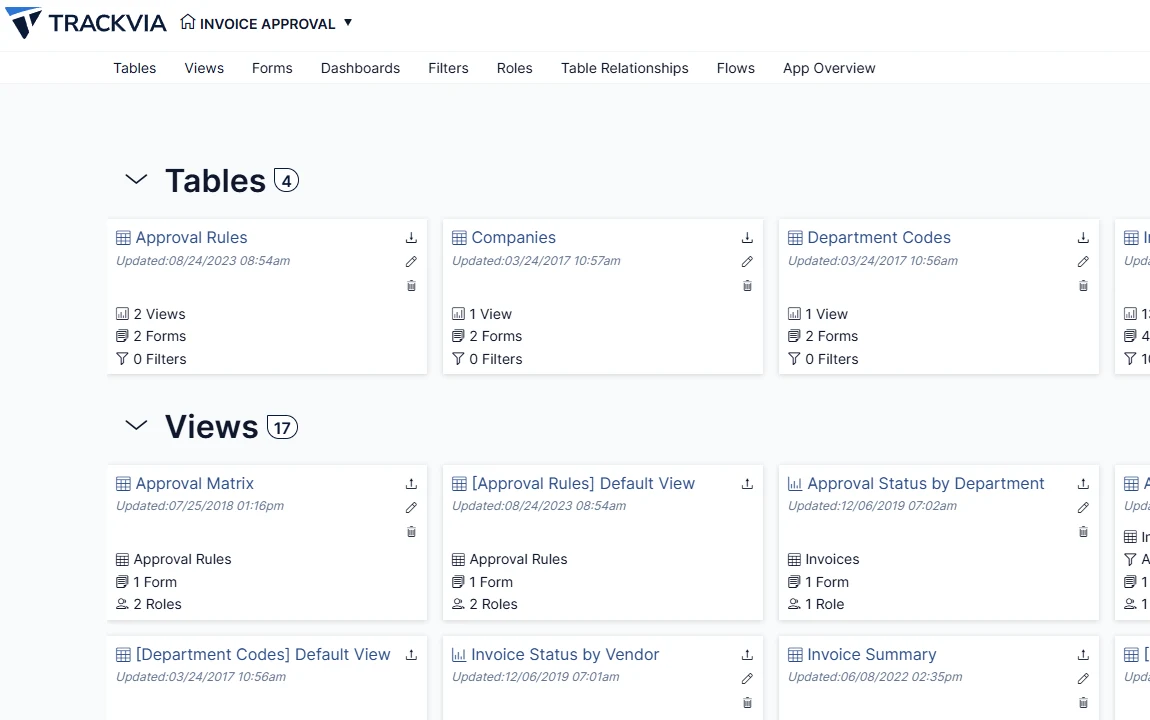
A generic low-code platform gives you the tools to build an application and leaves the rest to you: the workflows, the forms, the approvals, the mobile experience, all designed from nothing. TrackVia starts from the other direction. Workflows that more than 2,800 field operations practitioners have already built and refined come with the platform: work orders, inspections, assets, and the rest. And the same low-code tools a generic platform offers are there to configure to your operation. Set up the app yourself through a visual interface, or hand the work to the AI assistant you already use. Either way, no developer required and no waiting on a backlog.
From proven pattern to your own process
Start from a working pattern, not a blank canvas
Every module starts with the workflows and forms that more than 2,800 practitioners have already built and refined, so your team configures a working system instead of designing one from nothing, the way a generic low-code platform would ask you to.
Build it yourself, or hand it to your AI assistant
Add fields, set conditional logic, and route work through approvals using a visual interface. Or connect Claude, ChatGPT, Copilot, or Gemini through TrackVia MCP and describe the change in plain language, letting your own AI assistant build applications, make changes, and query data on your behalf, without leaving the AI environment your team already trusts.
Connect it to what you already run
Plug into your ERP, CRM, or other systems of record through more than 6,000 integrations, a full REST API, and webhooks, so the application fits into your existing environment.
Change it again whenever you need to
Requirements shift. Update forms, workflows, dashboards, and business rules on your own or through your AI assistant, with a sandbox to test changes safely and a full record history and audit log behind every change.
Build with the AI you already use
Your preferred AI, working inside TrackVia
TrackVia MCP connects TrackVia to the AI assistant your team already trusts, including Claude, ChatGPT, Copilot, and Gemini. Instead of learning a new tool or waiting on a developer, operators can work in their own AI environment to build applications, make changes, and query data, all within TrackVia.
Skip the dashboard. Just ask.
TrackVia IRIS lets your team ask questions about operational data in plain language and get an answer directly inside TrackVia, instead of building a custom dashboard or waiting on a report. It’s read only: it answers questions, it doesn’t change anything, and it only surfaces information a user is already authorized to see.
Safe to change, even in production
Every configuration change carries a preview mode and an automatic backup before it runs, so bulk updates, role changes, and schema edits are safe to make on a live system, whether you make the change yourself or your AI assistant makes it for you. A dedicated sandbox and a full release process mean your team can test a change before it reaches the people doing the work, and a complete record history means nothing changes without a trace.
See the whole platformThe future of AI with TrackVia
The TrackVia MCP already lets your preferred AI build and configure applications inside your apps today. Building your apps with IRIS is the next chapter: the same kind of natural-language, AI-assisted building, done natively by TrackVia IRIS itself.
Faster to build, faster to change
When configuration doesn’t require a developer, and your own AI assistant can build alongside your team, an application goes from idea to production in days, not months, and the next change after that takes hours, not another project. Teams spend their time running the operation, not waiting on IT or a queue of change requests.
Four key TrackVia capabilities
TrackVia’s field operations intelligence platform provides what you need to build, update, and optimize the apps that keep your business running.
FoundationTrackVia comes with proven modules and workflows, shaped by the work of more than 2,800 practitioners. Start with best practices and easily configure it to match how your operation actually works.
- Pre-built modulesReady-to-use applications for the work operations teams run every day: work orders, inspections, asset records, preventive maintenance, inventory, dispatch, and job close-out.
- Connected data modelTables connect the way your operation does: work orders to assets, assets to sites, parts usage to job costs, inspections to compliance records.
- Right-sized deploymentUse the capabilities your operation actually needs, without paying for an oversized suite built for someone else’s industry.
AutomationTrackVia moves the work forward automatically, so people spend less time chasing approvals, re-entering data, or tracking down what happened in the field.
- Guided workflowsRecords move through defined stages on their own, with the right approvals built into each step. More than 10,000 workflow submissions move through TrackVia from the field every month.
- Self-updating fieldsCalculated and triggered fields update as a record changes, so totals, statuses, and dates stay current without anyone retyping them.
- Offline-ready mobileNative iOS and Android apps capture photos with in-app annotation, notes, checklists, e-signatures, and barcode scans, timestamped and geotagged, signal or not.
- Automatic notificationsEmails fire the moment a record matches the conditions that matter, and reports can be scheduled straight to your inbox.
VisibilityEveryone works from the same current picture of the operation, not a spreadsheet that is already out of date by the time someone opens it. Ask TrackVia IRIS a question in plain language and get the answer straight from that same data, without waiting on a report.
- Live shared recordsCrews and the office read and update the same records in real time, so there is one current version of the truth instead of conflicting copies.
- At-a-glance statusOpen work, crew workload, overdue jobs, site status, and exceptions are visible the moment they change.
- Views and AI built for the jobMore than a dozen ways to see the same data, including grid, calendar, timeline, Gantt, map, kanban, pivot, and chart. AI queries answer questions asked in plain language.
- Role-based dashboardsPublished by role, from a compliance scorecard by site to a multi-site rollup with drill-down into a single job.
FlexibilityTrackVia starts ready to go and stays easy to change as the operation evolves, without waiting on a developer every time something needs to be different. Configure it yourself, or connect the AI assistant you already use through TrackVia MCP and describe the change instead.
- Configure it yourselfYour own team updates forms, workflows, dashboards, and business rules through a visual interface or AI-driven natural language instruction.
- Broad integrationsMore than 6,000 systems and data sources, plus a full REST API and webhooks, plug TrackVia into the systems you already run.
- Enterprise-grade securitySOC 2, HIPAA-compliant, and FedRAMP Class C environments, with single sign-on, multi-factor authentication with passkeys, and field-level role permissions.
- Bulk changesBulk update, delete, role assignment, and user invite, with a full record history, an account-level audit log, and dedicated sandboxes.


After vetting out several other solutions, TrackVia quickly seemed like a perfect solution for us… Our needs change almost weekly as regulations and the industry evolve, and we needed the flexibility to constantly tweak our platform in real time.
Projects that used to sit delayed for weeks now finish in days or even hours.
With Excel, we couldn’t see what employees were doing. With TrackVia it’s easy to track work and view what exactly has been completed. This resulted in an 80% time savings.
I wound up being able to do the same amount of work with only eight people versus 13 and that became the driving factor for them to accept TrackVia.
We are very pleased with the ease of use of the mobile application. We are thrilled to have instant visibility of the sterilization process and to be able to see immediately where issues are occurring. This enables us to focus on our number one priority, which is our patients and their loved ones.
TrackVia has truly changed the game on software development and deployment. We created and rolled out a mobile workflow app with limited resources in a very short period of time.
Their solution provided the flexibility we needed to meet unique project requirements while affording visibility and control.
TrackVia has improved the accuracy of our data. In the past it was a chore for our coordinators to document issues in real time. Now, they can just open the mobile app or website, check a few boxes and they are done.
The first application I built—it was simple—I think it took 10 minutes.
Common questions
Can TrackVia replace a low-code platform for field operations?
For most of what a low-code platform gets used for in field operations, yes. TrackVia already runs the workflows a team building on a generic low-code platform would spend months creating from scratch: work orders, inspections, assets, preventive maintenance, and more. You still get low-code tools to configure and adapt it, forms, workflows, conditional logic, dashboards, along with a mobile app built specifically for field work and integrations most low-code platforms don’t include out of the box.
What is low-code application development, and how is TrackVia different from a generic low-code platform?
Low-code application development means building software through visual tools and configuration instead of writing code line by line. A generic low-code platform gives you those tools and a blank canvas. TrackVia gives you the same kind of tools, plus proven field operations applications already built by more than 2,800 practitioners. Instead of designing a work order system or an inspection process from nothing, you configure one that already reflects how field operations actually run.
Do I need a developer to build or change an application?
No. Your own team can add fields, change workflows, update forms, and adjust business rules through a visual interface. No code, no developer, no waiting on IT’s backlog.
Can I use my own AI assistant to build or change a TrackVia application?
Yes. TrackVia MCP connects TrackVia to the AI assistant your team already uses, including Claude, ChatGPT, Copilot, and Gemini. Describe the change you need in plain language, and your AI assistant can build applications, make changes, and query data inside TrackVia, without you needing to leave that AI environment.
What is TrackVia MCP, and which AI assistants does it work with?
TrackVia MCP (Model Context Protocol) is a standard connection between TrackVia and the AI assistant your organization already runs on. It works with Claude, ChatGPT, Copilot, Gemini, Perplexity, and Antigravity today. However your team has already standardized on AI, TrackVia works alongside it instead of asking you to adopt a new one.
Is TrackVia a fit if we’re evaluating an enterprise low-code platform specifically?
If your evaluation is centered on field operations work, work orders, inspections, assets, preventive maintenance, safety and compliance, TrackVia gives you the enterprise controls that kind of evaluation usually asks for: role-based permissions, SOC 2, HIPAA-compliant and FedRAMP Class C (Moderate) environments, single sign-on, and a full audit log, along with applications already built for the work instead of the blank slate most enterprise low-code platforms start you with.
What can TrackVia IRIS answer, and what can’t it do?
TrackVia IRIS lets you ask questions about your operational data in plain language and get an answer directly inside TrackVia, instead of building a dashboard or waiting on a report. It’s read only. It answers questions about the data you’re already authorized to see, and it doesn’t change any records, take any action, or replace the people doing the work.
What’s the difference between TrackVia MCP and Build with IRIS?
TrackVia MCP is available today. It connects TrackVia to an AI assistant you already use and bring yourself, like Claude or ChatGPT, to build and configure applications. Build with IRIS is where TrackVia IRIS is headed next: the same kind of natural-language, AI-assisted building, done natively inside TrackVia, without needing to bring your own outside AI assistant. MCP is here now. Build with IRIS is direction, not a shipped feature yet.
How long does it take to build a new application?
Most teams start from a pre-built module already shaped for the work, work orders, inspections, assets, and more, and configure it to their operation instead of building from nothing. That usually means going live in days or weeks instead of the months a from-scratch build on a generic low-code platform typically takes.
Can we test a change before it goes live?
Yes. Every configuration change, whether you make it yourself or through your AI assistant, comes with a preview mode and an automatic backup before it runs. A dedicated sandbox lets your team test a change fully before it reaches the people doing the work, and a full record history and audit log track exactly what changed and when.
Solutions that connect
Work moves between these without anyone re-keying it.
Built for your industry
The same modules, shaped to how each sector actually runs.
Ready to get started?
See how we fit your operation
A working session on the workflows your crews actually run.